How to Automate POS Systems for Your Business Success
Running a small to medium restaurant or retail shop means juggling many tasks at once. One of the most important tools you have is your point of sale (POS) system. It handles sales, tracks inventory, and helps manage your business smoothly. But did you know you can automate POS systems to save time, reduce errors, and boost efficiency? Let me walk you through why automating your POS system is a game-changer and how you can get started today!
Why You Should Automate POS Systems in Your Business
Automating your POS system means letting technology handle repetitive tasks that usually take up your time. Instead of manually entering sales data or updating inventory, automation does it for you. This frees you up to focus on what matters most - serving customers and growing your business.
Here are some key benefits of automating your POS system:
Faster transactions: Automation speeds up checkout, reducing queues and improving customer satisfaction.
Accurate inventory tracking: Your stock levels update in real-time, so you never run out of popular items or overstock.
Simplified reporting: Automated sales reports help you understand your business trends without spending hours crunching numbers.
Reduced human error: Automation minimizes mistakes in pricing, discounts, and stock counts.
Better staff management: Track employee sales and hours easily with automated systems.
Imagine a busy Saturday lunch rush at your restaurant. With an automated POS system, orders go straight to the kitchen, payments process quickly, and your inventory updates instantly. No more lost tickets or manual stock checks!

How to Automate POS Systems: Practical Steps to Get Started
Getting started with automating your POS system is easier than you might think. Here’s a simple plan to help you take the first steps:
Choose the right POS software: Look for a system designed for small to medium businesses. It should be user-friendly and offer automation features like inventory syncing, sales tracking, and reporting.
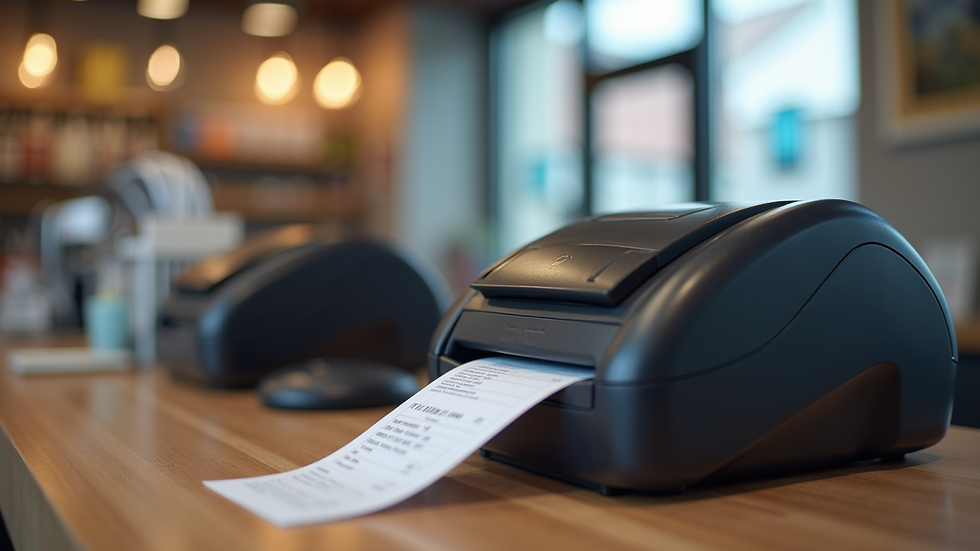
Integrate with your hardware: Make sure your POS software works smoothly with your existing hardware like barcode scanners, receipt printers, and cash drawers.
Set up inventory automation: Link your POS to your inventory so stock levels update automatically with each sale.
Automate sales reporting: Schedule daily or weekly sales reports to be emailed to you or your manager.
Train your staff: Ensure your team knows how to use the automated features to maximize efficiency.
Use mobile POS options: Mobile POS systems let you take orders and payments anywhere in your store or restaurant, speeding up service.
By following these steps, you can transform your manual processes into a smooth, automated workflow that saves time and reduces stress.
How much does a full POS system cost?
Understanding the cost of a full POS system is important before making the switch to automation. Prices vary depending on the features, hardware, and software you choose. Here’s a breakdown of typical costs:
Hardware: This includes terminals, barcode scanners, receipt printers, and cash drawers. Expect to pay between HKD 3,000 to HKD 10,000 depending on quality and quantity.
Software: Many POS providers offer subscription plans. These can range from HKD 200 to HKD 1,000 per month based on features like inventory management, reporting, and customer loyalty programs.
Setup and training: Some providers charge a one-time fee for installation and staff training, usually around HKD 1,000 to HKD 3,000.
Maintenance and support: Ongoing support may be included or cost extra, so check the terms carefully.
Remember, investing in a good POS system that automates your processes can save you money in the long run by reducing errors, speeding up service, and improving inventory control.
Tips for Maximizing the Benefits of Your Automated POS System
Once your POS system is automated, you want to get the most out of it. Here are some tips to help you maximize its benefits:
Regularly update your inventory: Keep your product list current to avoid stock issues.
Use data insights: Review sales reports to identify best-sellers and slow movers. Adjust your stock and promotions accordingly.
Set up alerts: Many systems allow you to set low-stock alerts so you can reorder before running out.
Integrate with accounting: Connect your POS to your accounting software to simplify bookkeeping.
Encourage staff feedback: Your team can offer valuable insights on how the system works in daily operations.
Keep software updated: Regular updates ensure you have the latest features and security patches.
By actively managing your automated POS system, you’ll keep your business running smoothly and stay ahead of the competition.
Why Automating Your POS System is a Smart Move Today
In today’s fast-paced market, efficiency is key. Automating your POS system helps you stay competitive by streamlining operations and reducing costs. It’s not just about technology - it’s about making your business easier to manage and more enjoyable for your customers.
If you want to automate point of sale system processes, you’ll find it pays off quickly. Faster checkouts, accurate inventory, and insightful reports all add up to better decisions and happier customers.
Take the leap and automate your POS system today! Your business will thank you.
Ready to simplify your sales and inventory management? Start exploring automated POS solutions that fit your needs and budget. You’ll wonder how you ever managed without them!
Great insights on automating POS systems for smoother operations and better customer experiences. Businesses looking to streamline payments and management can benefit from choosing the right pos system in canada to improve efficiency, accuracy, and overall business success.